Intel NPC Chat
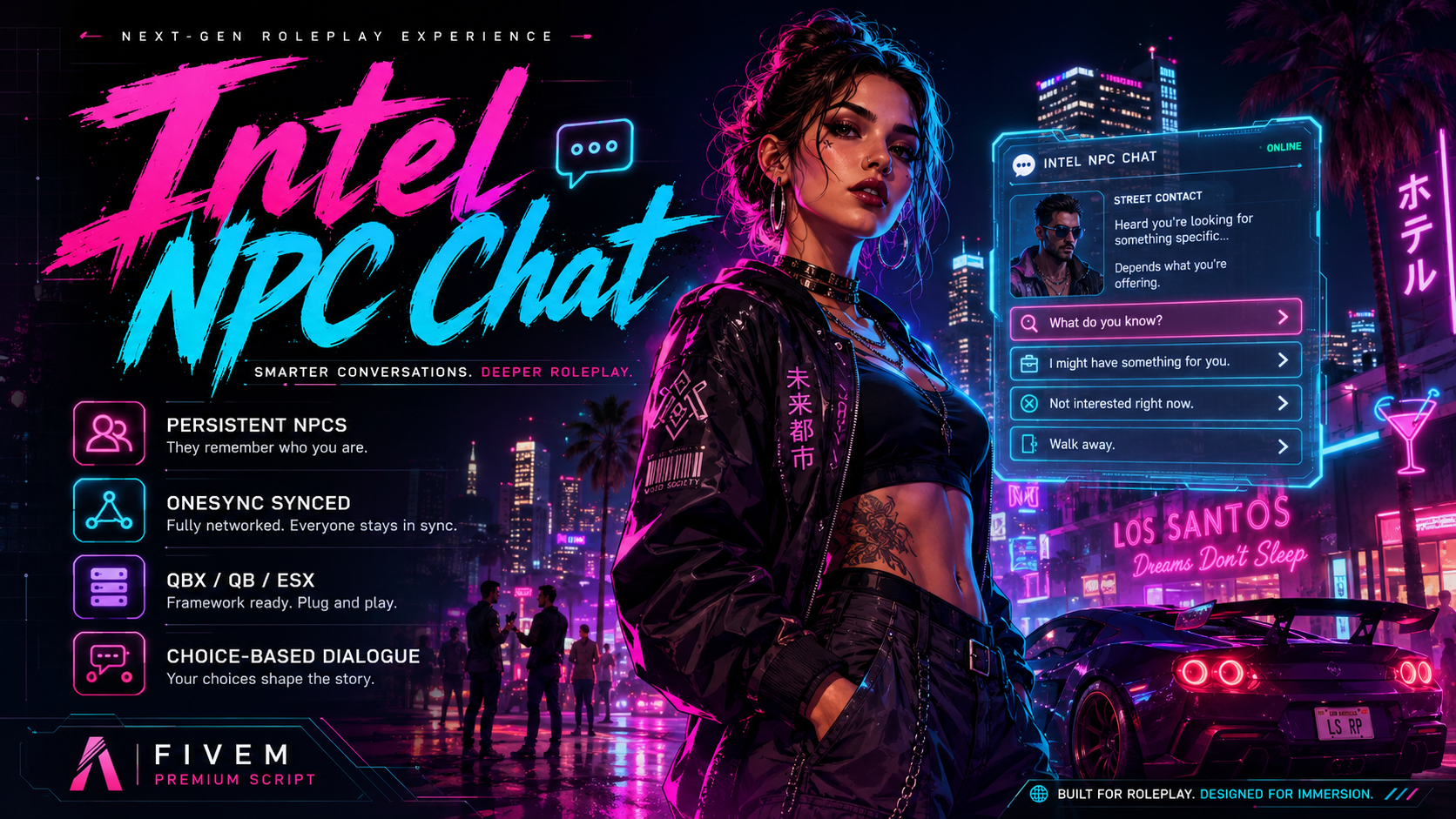
Static, OneSync-synced NPCs with a chat-style dialogue UI
Bring your server NPCs to life
Intel NPC Chat lets you create persistent, server-spawned characters with a polished chat-style dialogue interface. Drop one Lua file into config/characters/ and you have an NPC players can walk up to and have an actual conversation with — branching choices, bribes, threats, tips, item-gated options, the lot.
Every NPC is spawned server-side and synced through OneSync: two players fifty metres apart see the same ped in the same spot. They do not despawn on resource restart, they do not duplicate, they do not fall through the floor.
Key features
- Persistent, OneSync-synced NPCs — server-spawned and stable across the map.
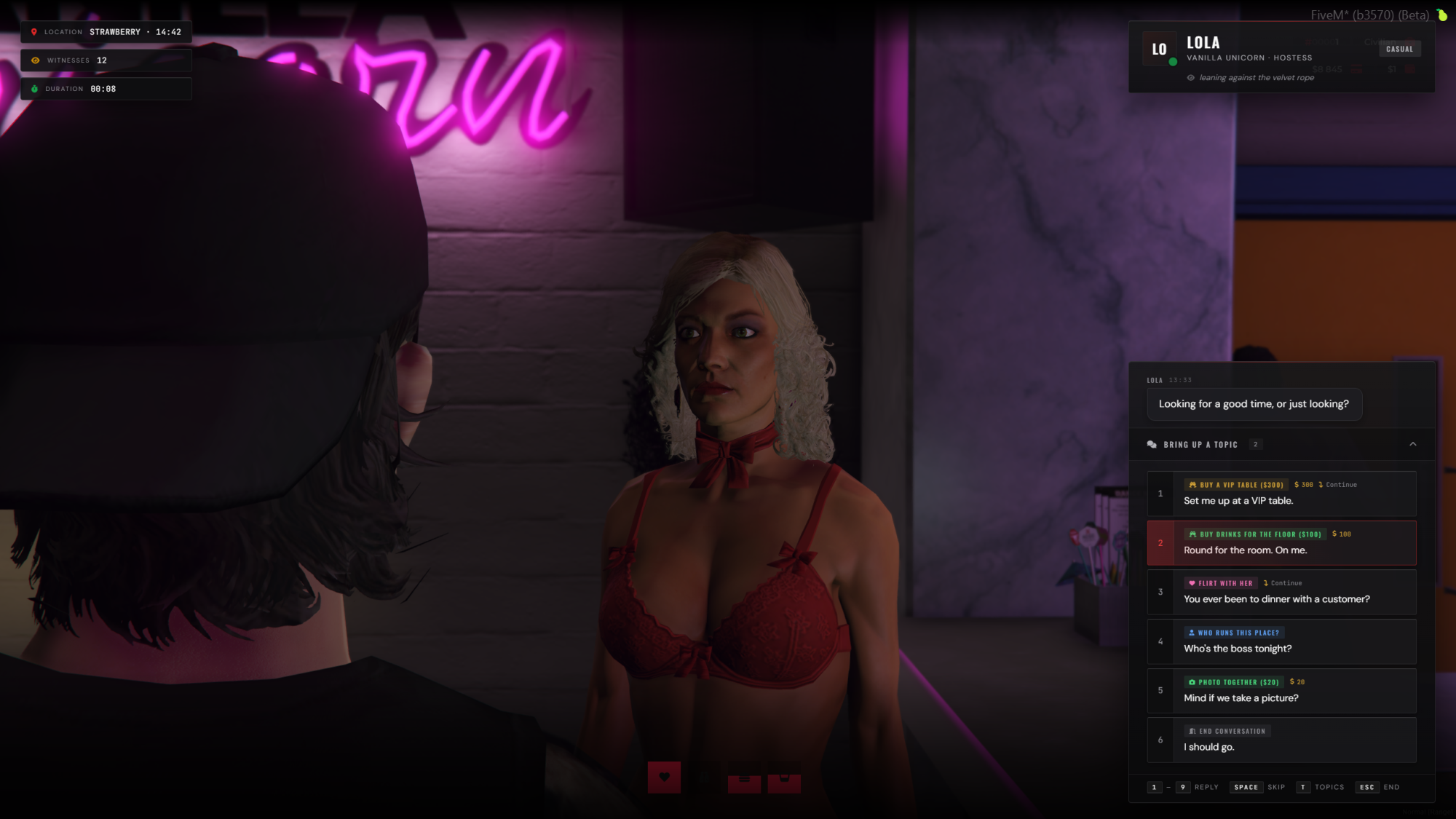
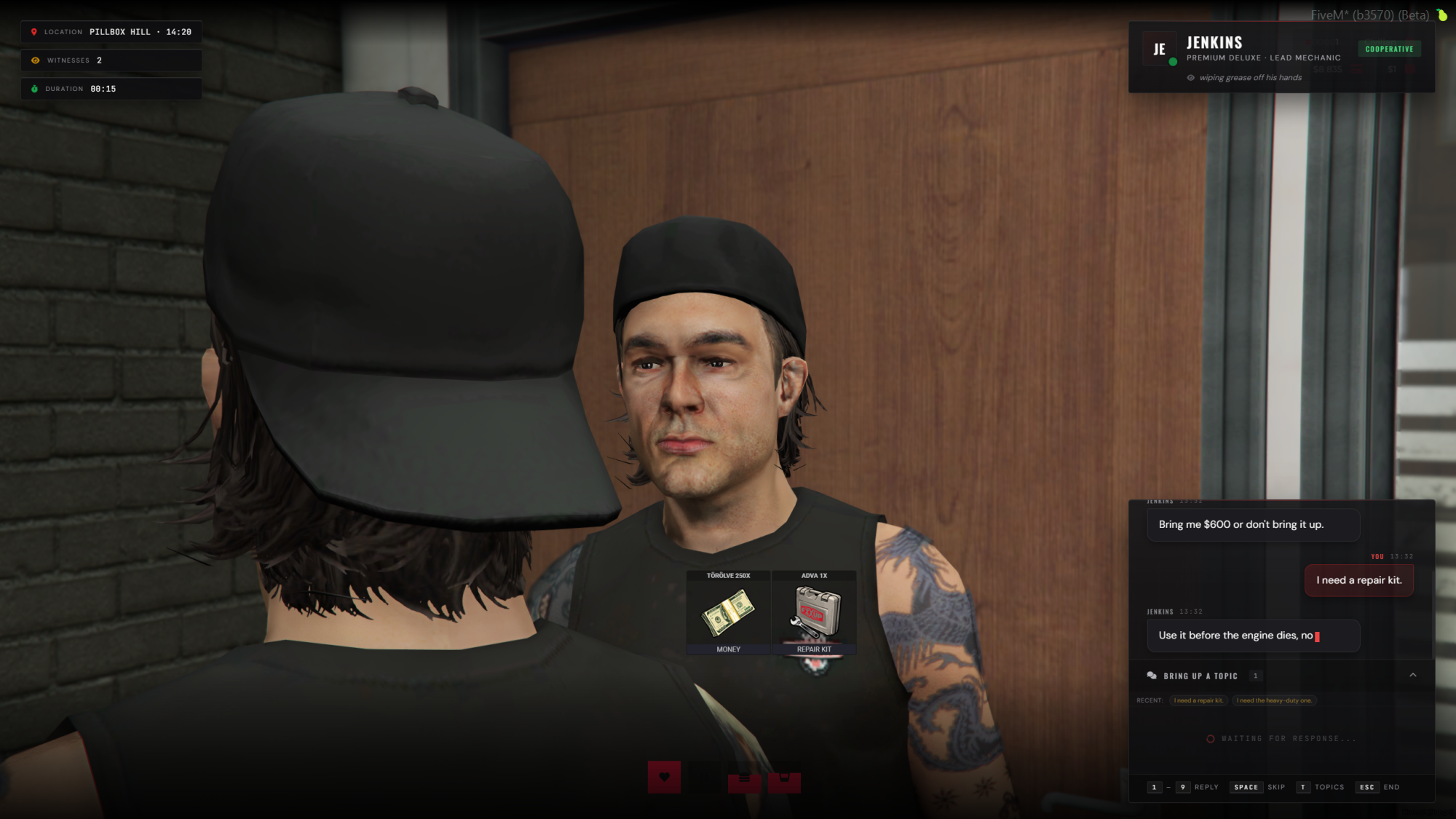
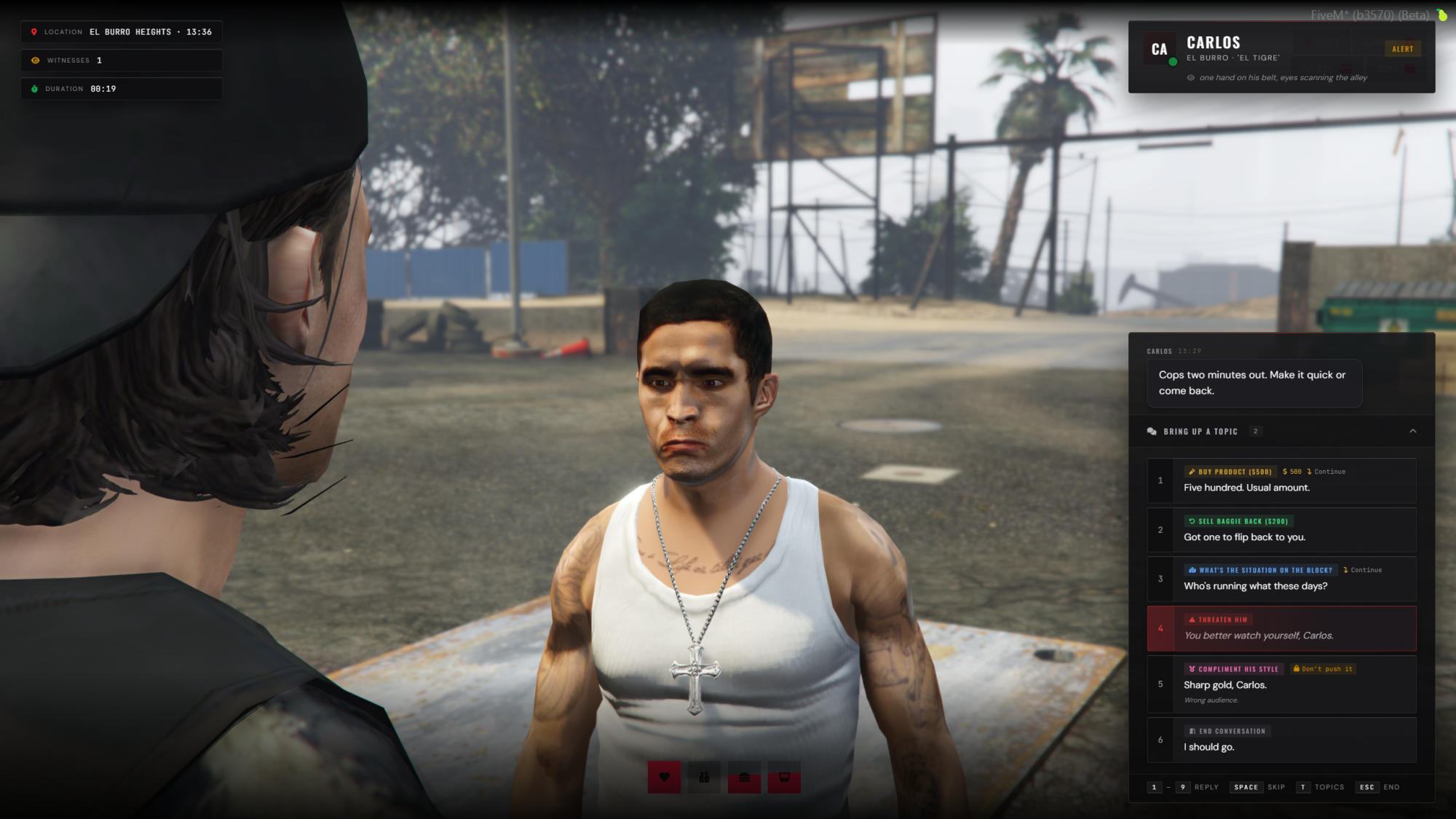
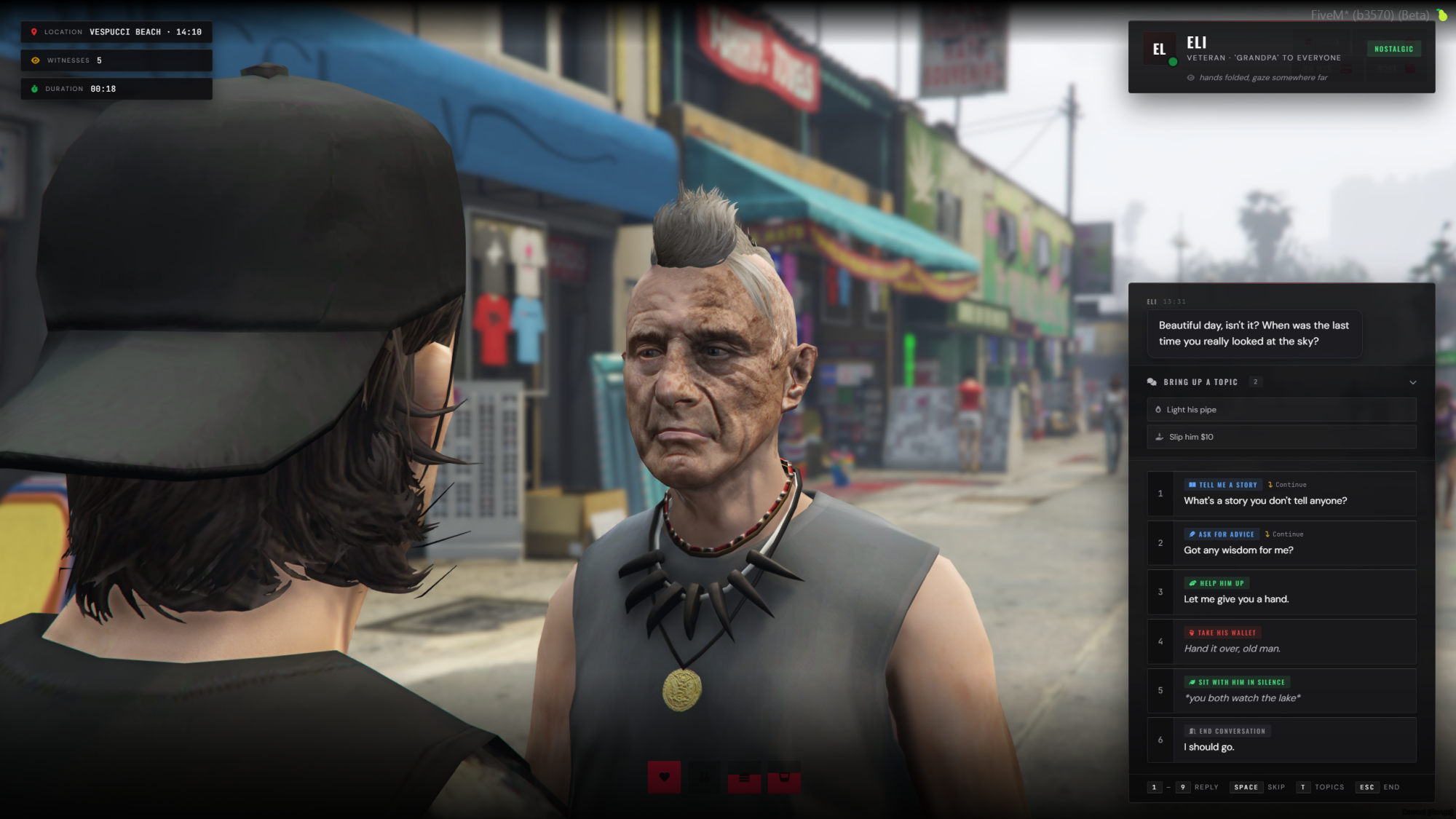
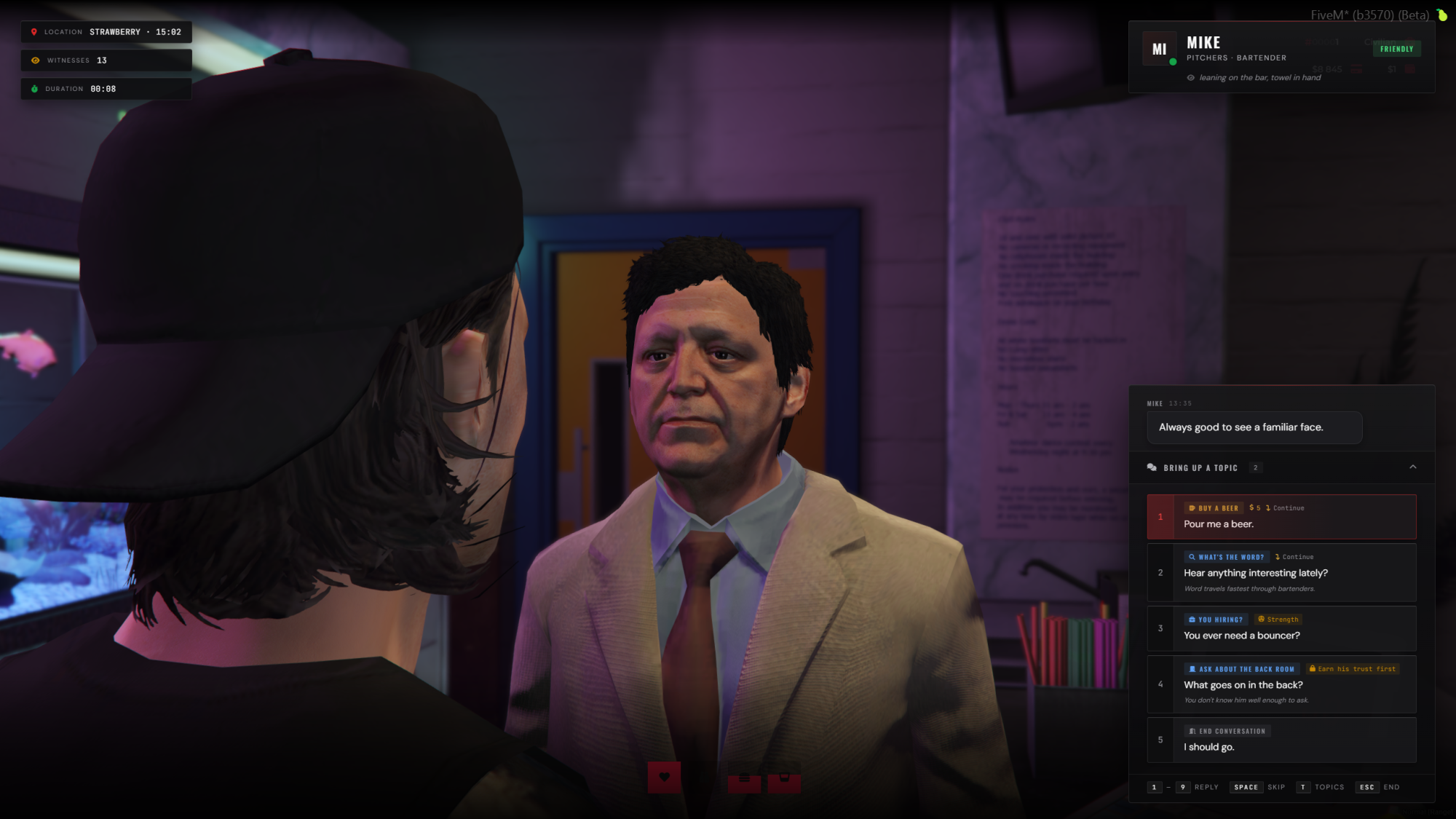
- Modern chat UI — typewriter responses, numbered choice buttons with 1–9 hotkeys, a topic bar of always-available small talk, and a mood / body-language / witness HUD on the side.
- Cinematic camera — an over-the-shoulder shot while talking, so players actually read the conversation instead of mashing E.
- Choice-based dialogue — nested topics, follow-ups, terminal choices, conditional visibility and dynamic responses.
- Tones — bribe, threaten, flirt, tip, mug, pickpocket, beg, investigate, friendly and more, each styling the player's line and shifting the vibe.
- Rich choice metadata — costs, skill chips, locked states and preview tooltips ("+1 Beer", "−$50").
- Highlighted replies — names, threats and locations picked out in their own colours; system messages slide in between lines ("Eli watched you steal from him.").
- Server and client hooks per topic — the server hook can cancel, return a custom failure line, or return a full table that overrides the response and replaces the next menu entirely. The client hook is for anims, ptfx and custom notifies.
- Runtime exports — add, remove, force-open, close and detect NPCs at runtime.
A complete NPC is this short
RegisterNpc({
  id = 'dani_taxi',
  model = 'a_m_m_business_01',
  coords = vec4(900.5, -178.2, 73.1, 200.0),
  speaker = 'Dani', tag = 'Taxi Dispatcher', mood = 'casual',

  dialogue = {
    greeting = { "Need a ride?", "Where to, friend?" },
    topics = {
      { id = 'ride', label = 'Quick ride ($50)', cost = 50,
        response = "Hop in. Five minutes." },
      { id = 'bye',  label = "Not right now.",
        response = "Catch you later.", terminal = true },
    },
  },
})
Drop the file, restart, done. No SQL, no admin panel, no registering it in three different places.
Seven working characters included
You will learn more from reading these than from any documentation:
- Mike, bartender at Pitchers — random greeting pool, nested buy menus, tipping
- Anya, a fence in a Vespucci alley — item-gated topics, hook-unlocked discount menu
- Jenkins, a mechanic — job-aware discounts, multi-tier upgrade tree, client animation
- Lola, a Vanilla Unicorn hostess — VIP pass and dance voucher chain, flirt tone
- Eli, an old man on a Mirror Park bench — long war-story response pool, mug-and-guilt
- Carlos, a sicario in El Burro — bulk buy, hostile close, respect-bribe unlock
- Hank, a boardwalk hot-dog vendor — a minimal four-topic vendor with a secret menu
Steal whatever, gut whatever.
Perfect for
- Roleplay quest NPCs, street contacts and informants
- Illegal dealers and fences with reputation- or item-gated stock
- Mechanics, bartenders, vendors and shopkeepers
- Gang corners and territory interactions
- Story-driven server events, hidden menus, item checks and job-based dialogue
Installation
set onesync on

ensure ox_lib
ensure ox_target
ensure lrr_npc_chat
Demo characters spawn around the map on first start. Open config/characters/ and start writing your own.
Requirements
- ox_lib required. ox_target recommended — an E-key prompt is the built-in fallback.
- OneSync must be on (legacy or infinity). If it is off, the spawner refuses to run and logs a clear error instead of leaving you to debug it for an hour.
- Frameworks: QBox, QBCore, ESX or standalone — auto-detected on first call. Money, items, jobs and notify go through a Bridge shim you can override.
- Inventory: ox_inventory, qb-inventory or esx_inventory.
- Artifacts: no hard minimum — anything reasonably recent with lua54 and state bag replication works.
- Code: fully open source, no escrow. Approx. 5,500+ lines.
Works with the rest of the suite
- LastResort Notify — detected by resource name and used as the toast surface for dialogue and for the notify calls in your own hooks, ahead of ox_lib, QBCore and ESX. Re-probed if it starts after this resource.
- Account Levels — the
level_requiredfield on any dialogue topic becomes a real gate. Without it the topic is simply open: a resource you do not own never locks content in this one. - LastResort Loading Screen (free) — runs alongside with no conflicts.
Read this before you buy both. Intel NPC ships this exact dialogue system and more. Two chat panels fighting over the same ped is a broken experience, so Intel NPC stops this resource automatically at boot and prints why to the console. They are mutually exclusive by design — buy this one for servers that do not run Intel NPC.
Licence & support
Per-customer licence — deploy on any number of servers you own, no redistribution. Lifetime updates: every future version is free. Support through our Discord, help@intelnpc.com or Tebex.
Most NPC systems are an interaction menu. Intel NPC Chat is built for immersive roleplay — personality, context, choices, rewards and reactions, in a dialogue panel players actually read.